Auxo Insights

Know exactly how your workshop's tracking

Auxo Insights turns your Auxo Workshop data into a daily briefing, clear KPIs and an AI analyst you can ask anything. Get what matters in 30 seconds, then get back to running the business.

See how it works
ChatGPT Image Sep 24, 2026, 11_28_05 AM
  • 30 secs

    to see how the week's tracking

  • 6 KPIs

    in one view, and you choose which

  • 1 click

    from a number to the reason behind it

Available now for Auxo Workshop

Stop finding out how the month went once it's over.

Most owners only see the real picture at month end, when it's too late to change it. Insights tells you how you're tracking while there's still time to do something about it.
insights-1-home-daily-briefing

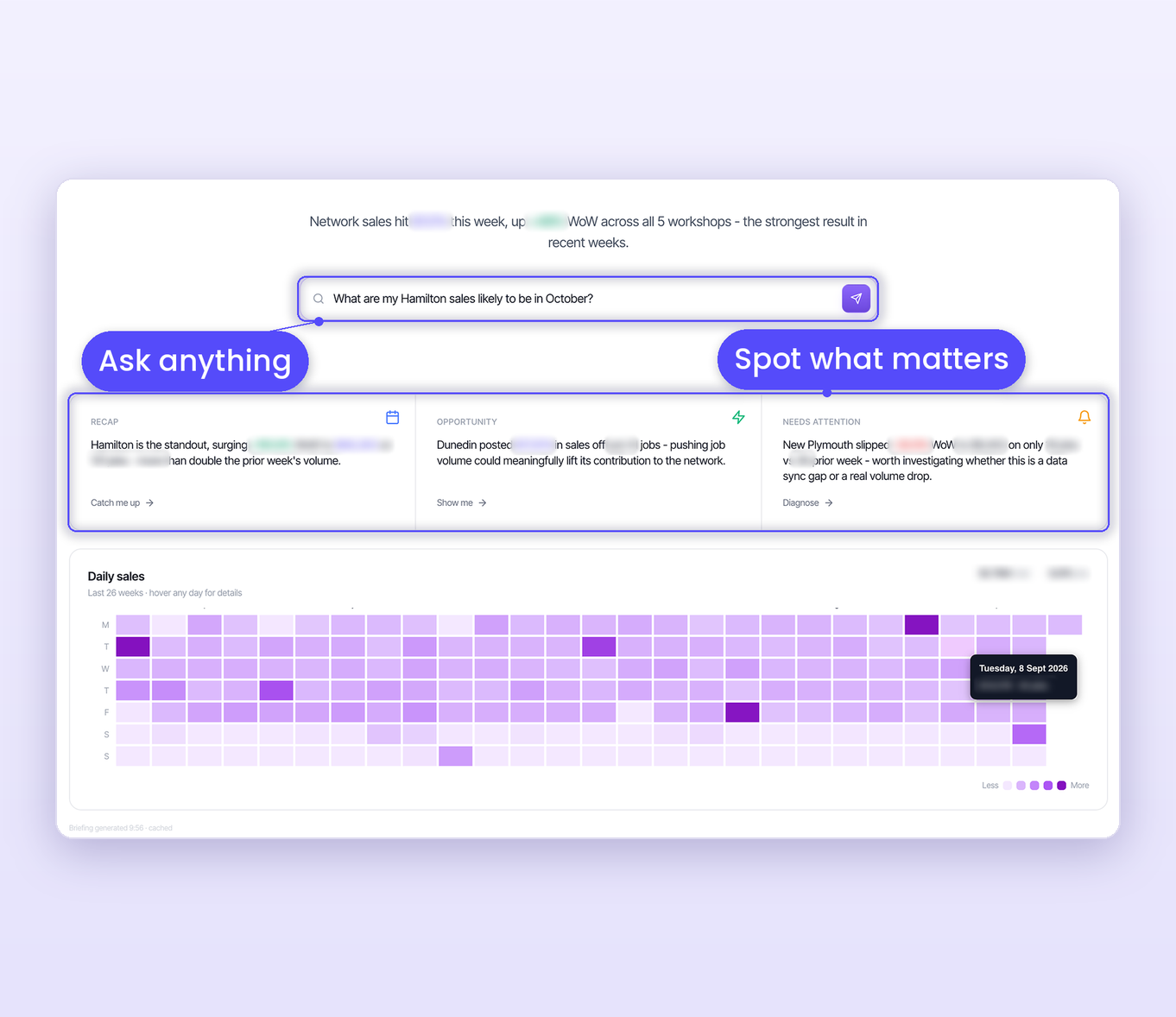
Your daily briefing

Start the day knowing where you stand

Every morning you get a one-line summary of how the business is tracking. Below it are three cards: your standout result, your biggest opportunity, and anything that looks off. Each one opens with a single click.

Then just ask. Type a question in plain English and get an answer from your own workshop data:

  • "How did my workshops go last week?"
  • "Which parts do I make the most margin on?"
  • "What's my revenue likely to be in October?"

No filters, no spreadsheets.

How it works

From the numbers to the reasons behind them

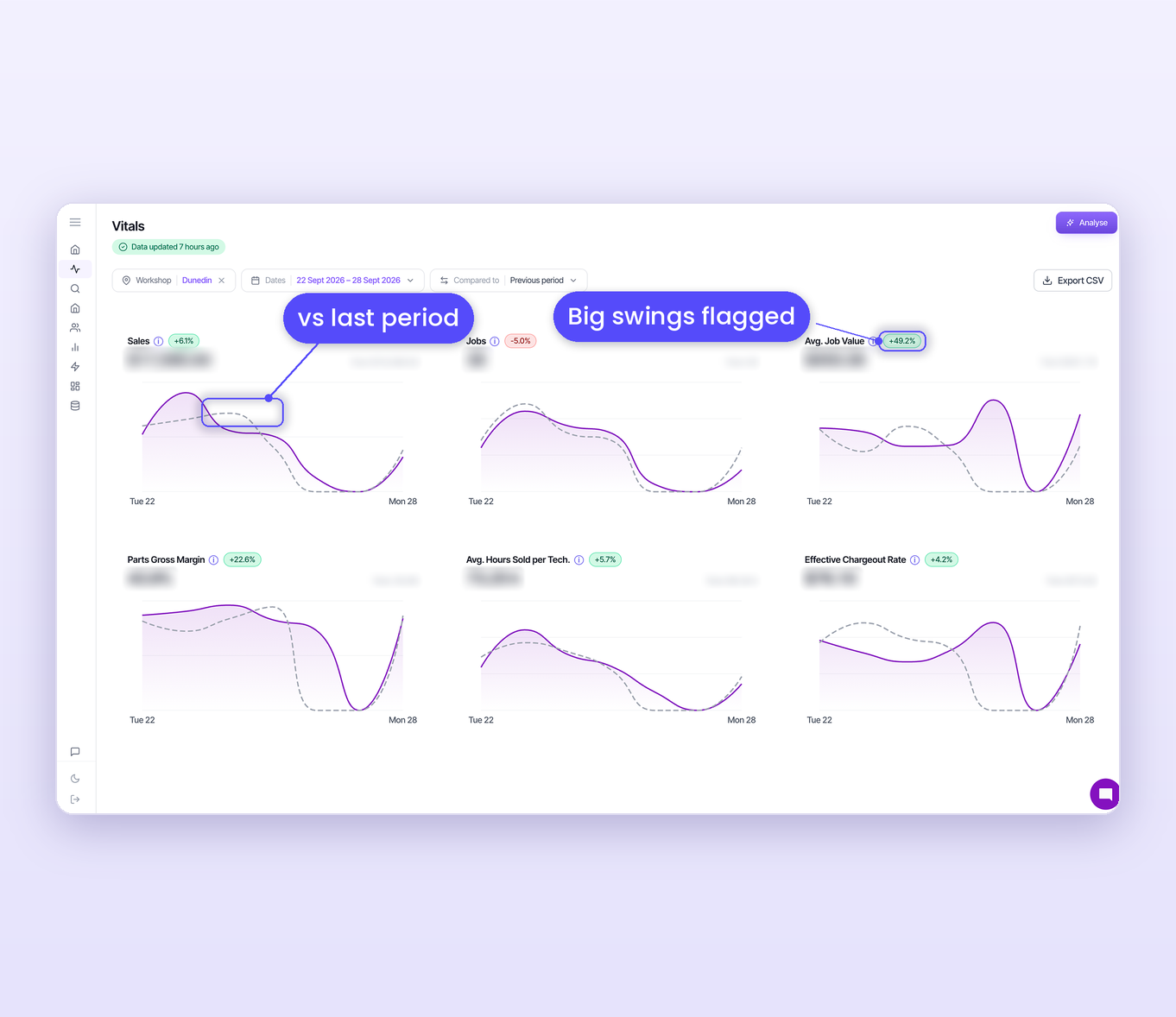
Vitals: your health check, in seconds

The numbers that matter in one place, compared with last period or the same time last year. Big swings are colour-coded so you know where to look first.

  • Sales, jobs, average job value, parts margin, hours sold per tech and effective chargeout rate
  • Choose the KPIs you want to see
  • Daily trend lines show when in the week things happened
  • Hit Analyse and the AI explains what's driving the change
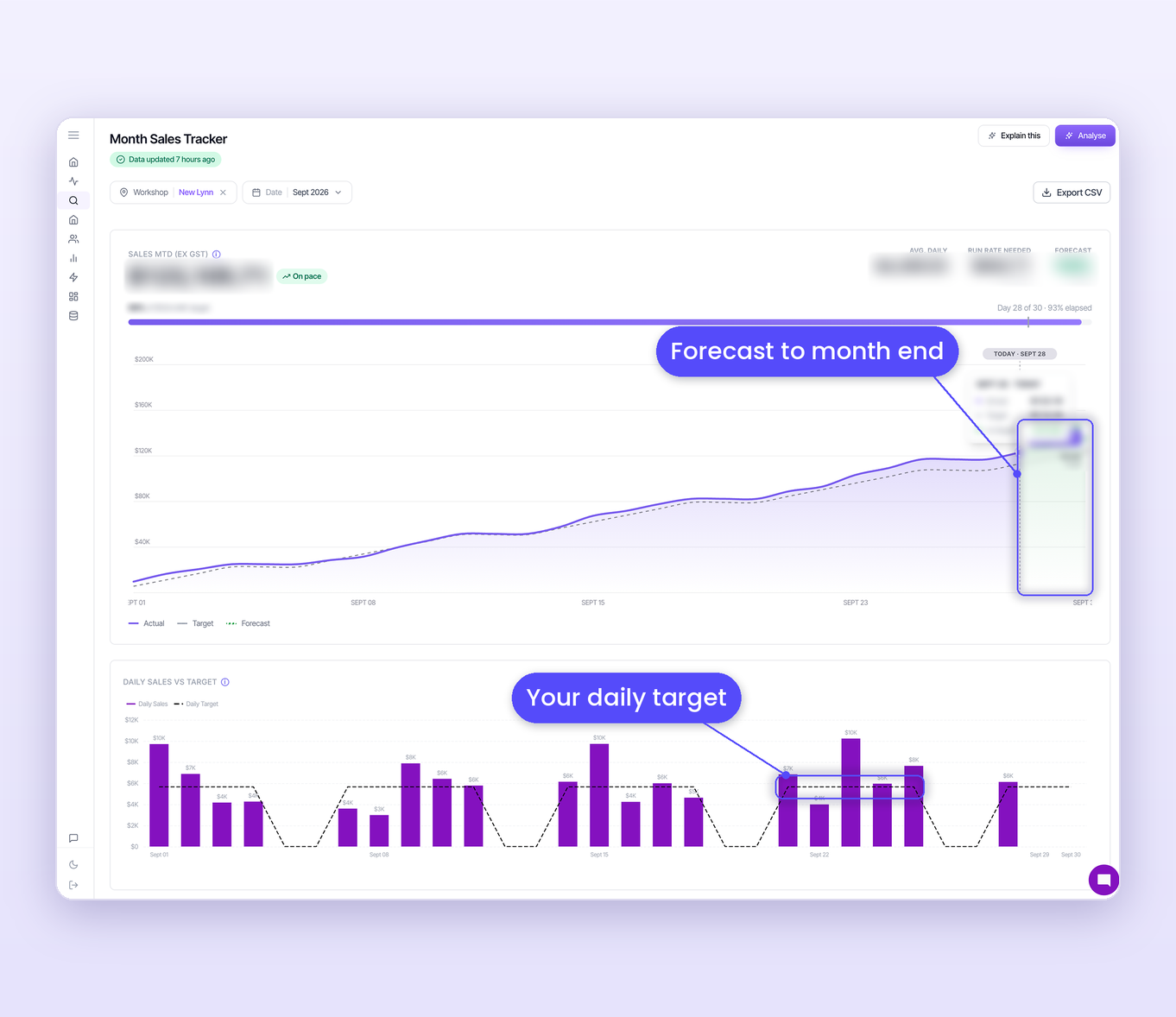
Month Sales Tracker: no end-of-month surprises

Know mid-month whether you're on track, while there's still time to act.

  • Progress against your own budget, target or goal
  • A forecast of where the month will land
  • The daily sales you need to hit target
  • Allows for the days you're closed
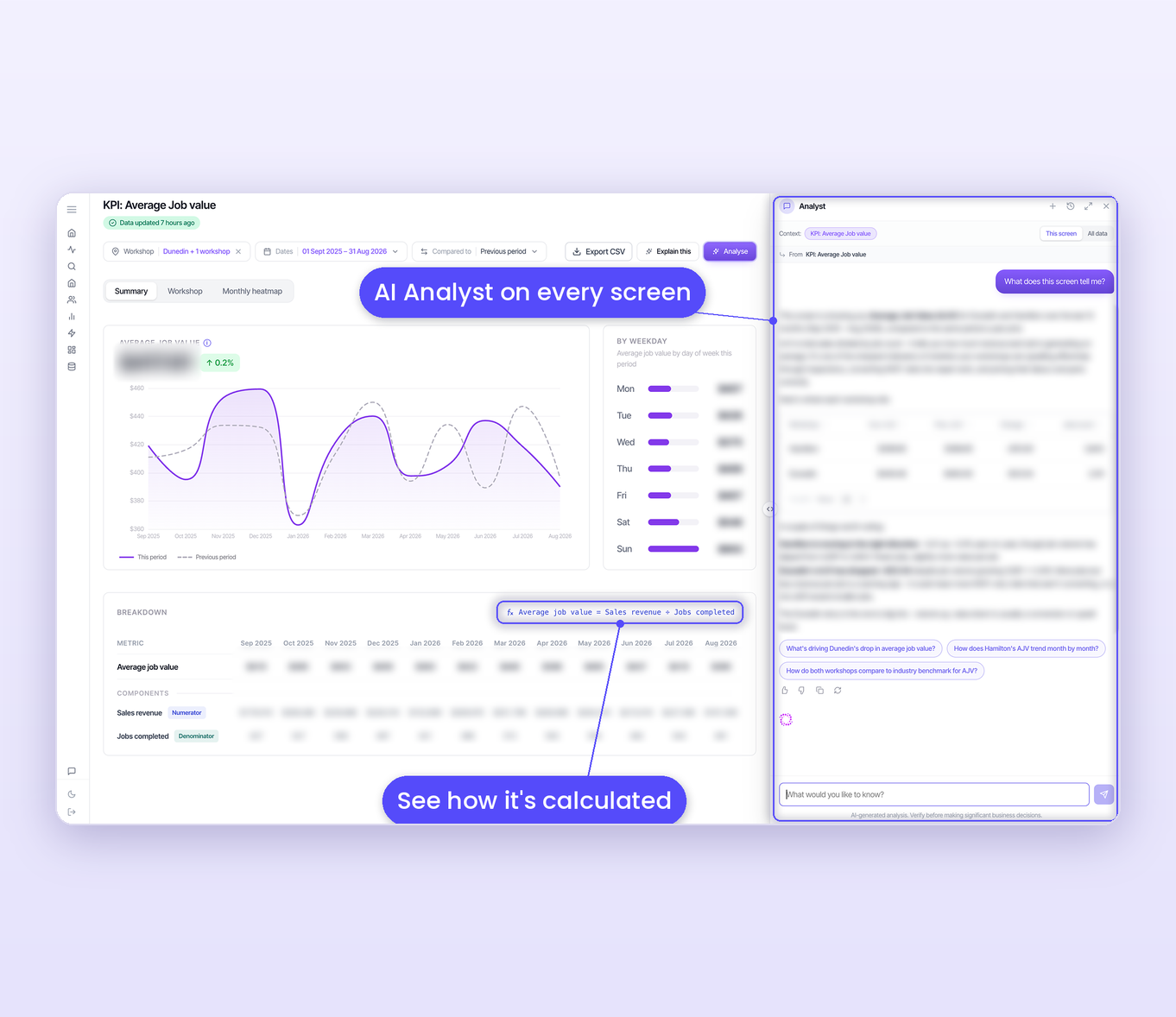
AI Analyst: get to the why

When a number moves, dig in. The AI Analyst is on every screen and explains what's going on in plain English.

  • 12-month trends compared with last year
  • How each KPI changes by weekday
  • Compare your sites side by side
  • Suggested next questions, so you know what to ask
insights-2-vitals-accordion insights-3-month-sales-tracker-accordion insights-4-kpi-ai-analyst-accordion

Built for the industry, by the industry

Backed by people who know workshops

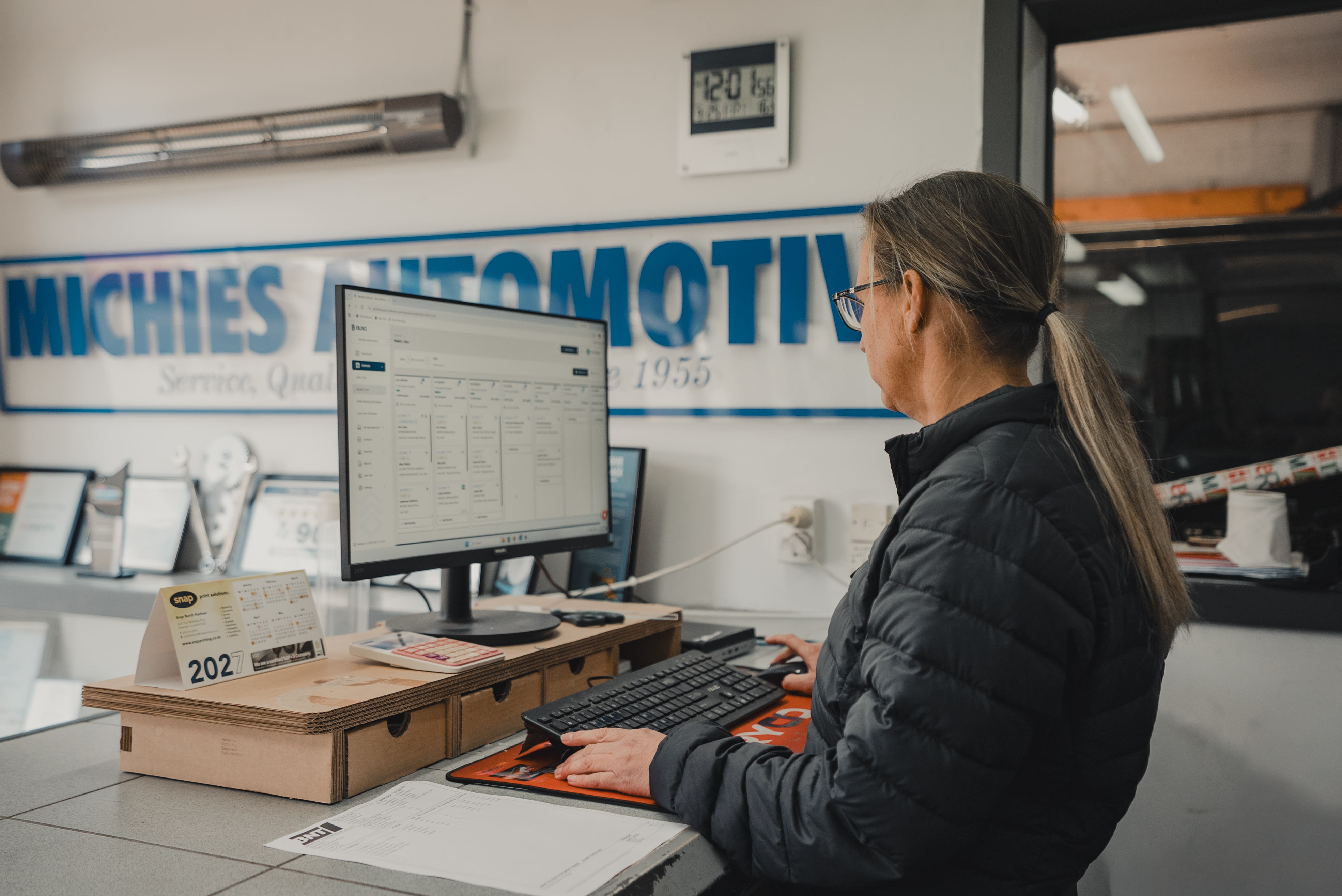
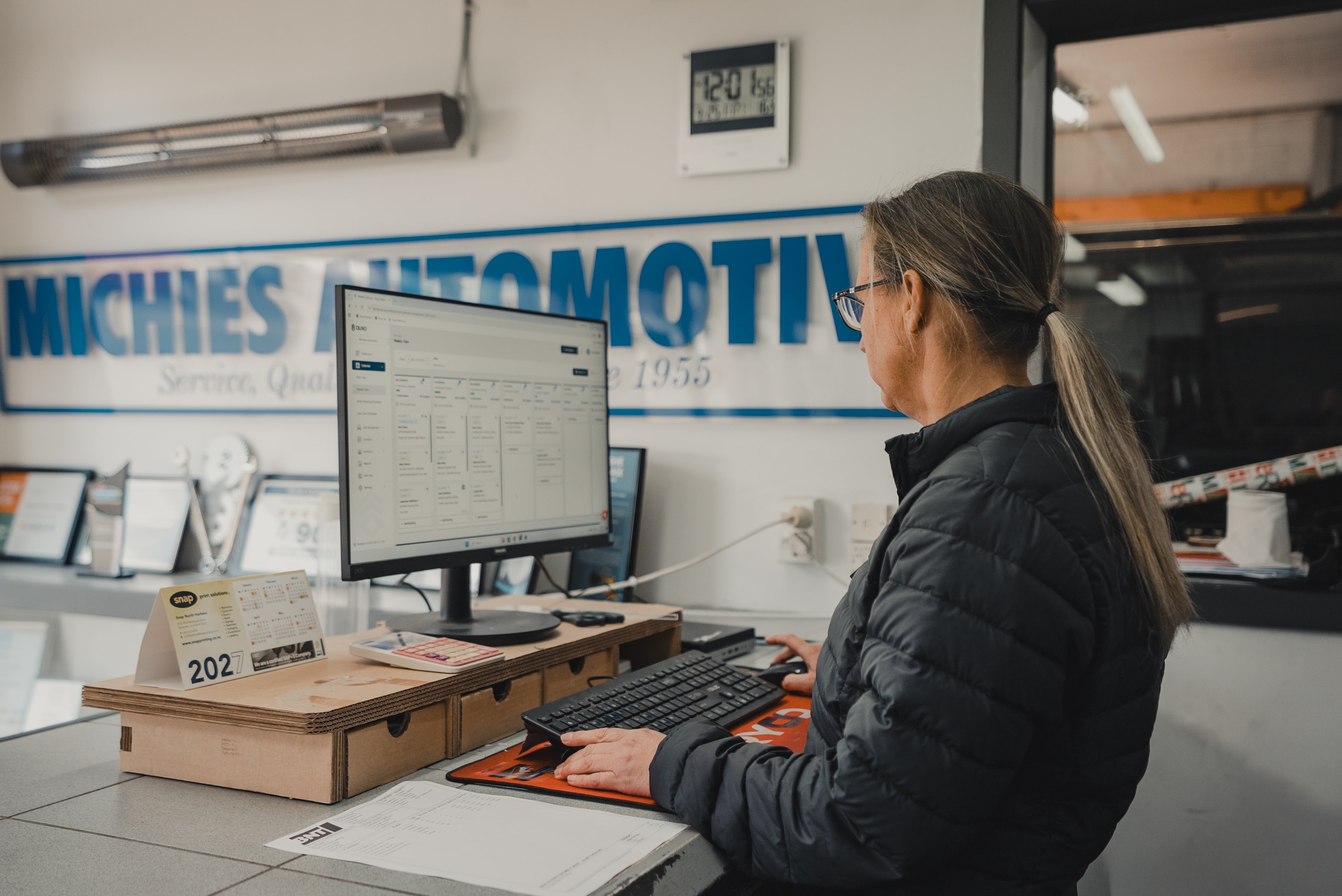
Auxo is owned by the Motor Trade Association (MTA), and we've spent 25+ years building software for mechanics. Plenty of owners start out on the tools and end up running a business. Insights is there to help turn a busy workshop into a profitable one.
DSC01173
  • Better calls, every day

    Clear numbers help you price, staff and stock with confidence.

  • See how you compare

    Benchmark against similar workshops and see where you stand.

  • A business worth more

    A profitable, well-run workshop is worth more when it's time to sell.

  • A stronger trade

    When more workshops run on real numbers, the whole industry gets stronger.

Good to know

Your questions, answered

Want to see how Insights handles your own numbers? A demo with your workshop's data is the quickest way to find out.
Who can use Auxo Insights?

Insights is available now for Auxo Workshop customers. If you're not on Auxo Workshop yet, start there and Insights works off the data you already capture every day.

Where do the numbers come from?

Your own Auxo Workshop data. There's nothing to export and no spreadsheets to build.

How do I know the numbers are right?

Every KPI shows exactly how it's calculated, with the formula and each part of it laid out month by month. No black box.

Can I choose which KPIs I see?

Yes. Vitals comes set up with six core KPIs, and you can change them to suit how you run your workshop.

Does it work if I run more than one site?

Yes. You can see the whole network at once, compare sites side by side, and Insights calls out your standouts and the sites that need a look.

Should I rely on the AI's answers?

The AI Analyst explains what's in your data and points you to what's worth a closer look. Treat it like a sharp advisor: it gets you to the right question fast, and you check the detail before making a big call.

See it with your own numbers

Screenshots only show so much. Book a demo and we'll walk you through Insights using your own workshop's data.